White-label branding for Moodle: one site, a different brand for every audience
For Moodle hosts, resellers, and institutions running sub-brands who want each audience to feel at home without standing up a second site.
White-label branding lets one Moodle site show a different brand to different people, decided per request. We build and maintain the free plugin that does it, White-Label Branding (local_brandmask). One install serves every brand:
- By subdomain, domain, cohort, or user. A visitor on one host sees one brand; the same site on another host, or a different cohort, sees another.
- Logo, colours, login page, and email. Each profile carries its own look, including an optional co-brand partner logo, all the way to the inbox.
- No second site, no theme copy. Branding is applied at page render, so it never recompiles the theme and never leaks between tenants.
If you run Moodle for more than one client, programme, or brand, you have probably been pushed toward a bad trade: either everyone shares one generic look, or you stand up a separate Moodle per brand and maintain them forever. White-labelling is the third option. One site, one upgrade, and a brand chosen the moment a page loads, based on who is asking and where they came in. This page is both the product and the how-to: what it does, and exactly how to set it up.
What white-label branding is — and what it isn't
In plain terms: white-label branding makes a single Moodle present itself as if it belonged to each audience. A training provider's client opens the site and sees their own college's logo, colours, and login page, not the provider's. It is not a new theme, and it is not multi-tenancy in the database sense. The courses, users, and data are one Moodle; only the appearance changes per audience, and only where you say it should.
That distinction is what keeps it safe to run. A theme copy per client is a maintenance tax that grows with every brand and every Moodle upgrade. A separate site per client multiplies hosting, patching, and backups. Branding at render time adds none of that: the plugin reads which profile applies and writes a small, scoped style block into that one page. Turn it off and every page is stock Moodle again.
- You host Moodle for several clients and each wants to see their own brand → good fit.
- You are one institution with sub-brands, academies, or departments → good fit.
- You want each client on their own domain → supported, with a reverse proxy in front.
- You need separate data and user lists per client, not just a separate look → that is multi-site territory; talk to us about the right shape.
How it decides which brand to show
Every page load, the plugin resolves one branding profile, or none. It checks in order, and the first match wins, so the rules stay predictable:
Because the brand is chosen per request and written only into that response, two people on the same Moodle at the same moment can see two different brands, and neither can see the other's. There is no shared cache of branded output to leak across tenants.
Set it up, step by step
From a stock Moodle to a branded one is four steps. The first three take a few minutes; the fourth is DNS, which is as quick or as slow as your registrar.
The one piece people miss. Moodle serves from a single canonical address, so a custom domain or subdomain needs a reverse proxy in front that passes the original host through. Without it, Moodle redirects back to its canonical host and the brand never resolves. If you host with us, this is already wired; if you self-host, the Go-live page spells it out.
See it: two brands, one site
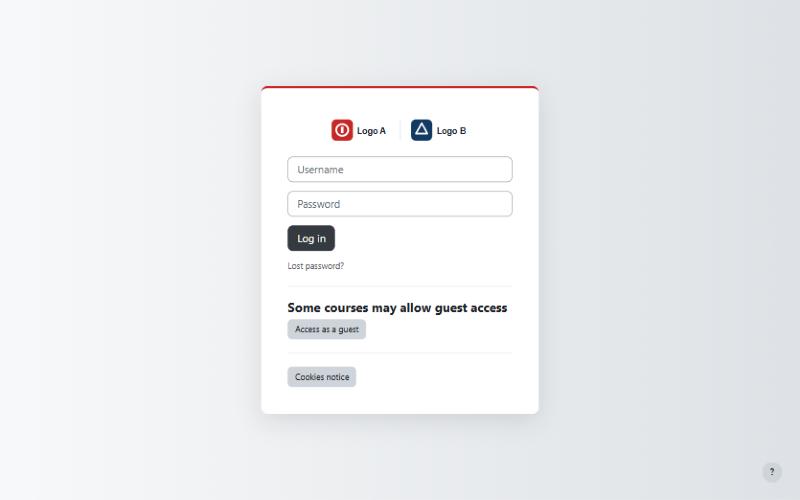
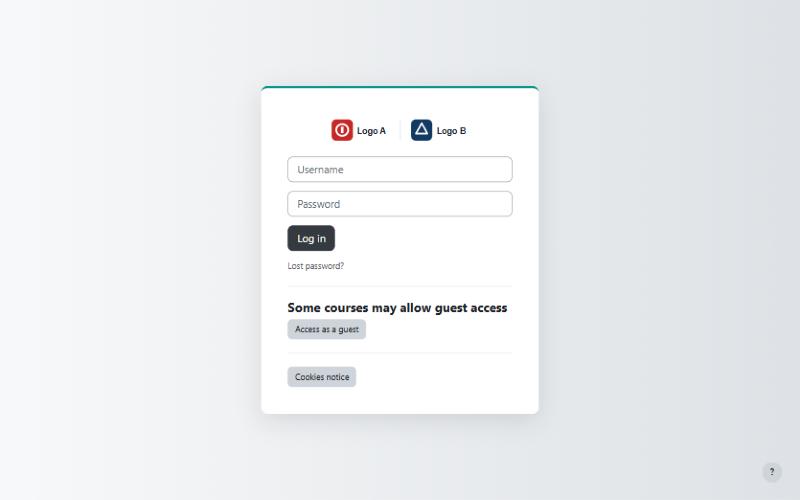
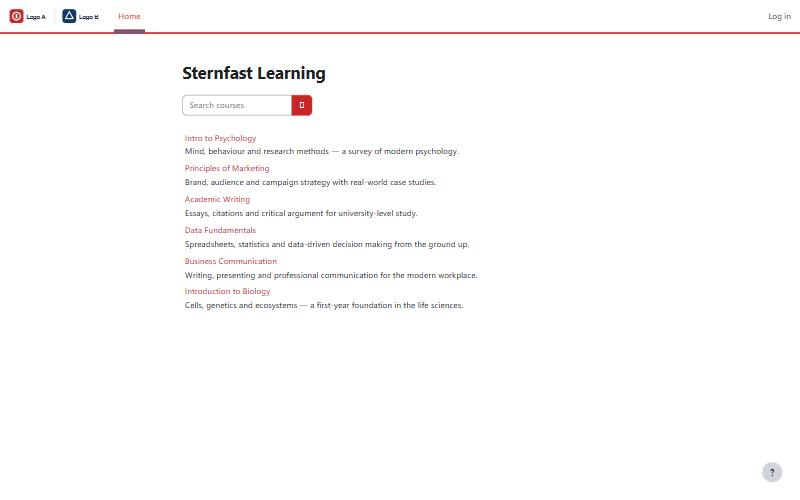
These are two sign-in pages from the same Moodle, on two different hosts. Same install, same database, same courses underneath. Only the brand differs, decided by which host the visitor came in on. The sign-in form stays a neutral grey on purpose, so the brand reads from the logo lockup and the accent, not from a button that fights the client's colour.
The choices that keep it clean
Branding plugins have a reputation for fighting the theme and leaving a mess on upgrade. This one is built to avoid that, and the reasons are worth stating because they are what makes it safe to run on a production site.
Render-time, never SCSS
The brand is a small scoped style block written into the page as it renders. It never recompiles the theme and never touches the compiled-theme cache, so an upgrade has nothing of ours to break.
Scoped, so nothing leaks
Every rule is gated so it only applies on a branded page. Unbranded pages are untouched, and branded output is never shared across users, so one tenant's look can't bleed into another's.
Brand the whole journey
Logo and colours across the site, the login page, a co-brand partner logo for joint ventures, and outgoing email styled per recipient. The brand holds from the first screen to the inbox.
Who it's for
White-labelling earns its keep wherever one Moodle serves audiences that each want to feel like the site is theirs:
- Training providers and resellers hosting many client organisations on one platform, each on their own domain.
- Universities and colleges with sub-brands, academies, continuing-education arms, or partner programmes.
- Franchises and multi-location businesses that run one learning platform but present a local brand per region.
If that is you, the plugin is free to install today. If you would rather not touch DNS and reverse proxies, white-labelling comes built in to our managed Moodle hosting, and it pairs naturally with theme work and the rest of our Moodle development.
Questions we get
Do I need a separate Moodle for each client or brand?
No. That is the whole point. One install, one database, one upgrade path serves every brand, and each audience sees its own logo, colours, login page, and email, decided per request. There is nothing extra to host or patch.
Does it slow the site down or recompile the theme?
No. Branding is applied as a small, scoped style block at page render, never as SCSS, so it never touches the compiled-theme cache and never triggers a recompile. An unbranded page renders as stock Moodle.
Can a client use their own domain?
Yes. A profile's host can be a subdomain of your Moodle or a client's own domain pointed at your server, such as learn.theircollege.edu. Point DNS at the server and forward the host through your reverse proxy; the plugin's Go-live page lists the records to add.
Can I brand by cohort or user instead of by domain?
Yes. Alongside host matching, a profile can apply to a cohort or to specific users, so audiences that share one hostname can still each get their own brand.
Does it brand outgoing email too?
Yes. Each profile can style outgoing email for its recipients, with its own logo, colours, and sender identity, so the brand carries through from the site to the inbox.
What does it cost?
The plugin is free and GPLv3. Install it yourself, or have Sternfast set up the profiles, domains, and reverse proxy as part of managed Moodle hosting.
White-label your Moodle
We set up the profiles, domains, and proxy, and hand you something ready to switch on. We reply within one business day, or call (615) 396-7139.