Moodle Development by Senior Engineers
Moodle is the open-source LMS behind most universities and training teams — we build the plugins, themes, and integrations that make it yours. Upgrade-safe code, tested against 4.5 LTS, quoted before we start.
- No core hacks, ever — "no core modifications" goes in the contract.
- PHPUnit + Behat tested against 4.5 LTS and current 5.x.
- You own the code — delivered in a git repo you control.
Custom development, done the boring way
Most "custom Moodle work" we inherit is a core hack with a plugin's name on the folder
Someone edited course/lib.php directly. It worked, the invoice got paid, everyone moved on. Two years later an upgrade overwrote the changes and nobody could remember exactly what they were. We build the other kind of customization — plugins and themes that use Moodle's extension APIs, so version upgrades are boring instead of terrifying.
When a developer says they need to "modify Moodle itself," they usually mean the plugin-API route is more work and they'd rather not. We'd rather. It's tedious for a week, then safe for a decade.
What we build
Plugins, themes, integrations — scoped in the open
Custom plugins
Quoted per project
Activity modules, local plugins, blocks, admin tools, custom reports. Built to the Moodle coding guidelines, with PHPUnit tests, Behat acceptance tests, and the Privacy API implemented — the same bar the Moodle.org plugin directory sets.
Themes
Quoted per project
Boost child themes: your brand, your SCSS, targeted Mustache template overrides — and nothing else touched.
See our five-theme portfolioIntegrations & web services
Quoted up front
SSO (SAML2, OAuth 2, LTI 1.3), SIS enrollment sync, HR-system provisioning, custom REST endpoints on Moodle's external functions API. Scoped at a fixed quote where possible; quoted in senior-engineering blocks where it isn't.
Describe your integrationRescue & performance
Quoted up front
Inherited a hacked core or an abandoned plugin? We untangle customizations back into upgrade-safe plugins, profile slow pages (it's usually mdl_logstore_standard_log grown to tens of gigabytes), and get you onto a supported version. Pairs well with a migration if you're changing hosts too.
| Work | Effort & expertise | What's included |
|---|---|---|
| Brand theme (Boost child) | Light — about a week | Logo, palette, fonts, login page, favicon — upgrade-tested before delivery |
| Custom plugin | Moderate — days to weeks | Written spec, build, PHPUnit + Behat tests, Privacy API, docs, git handover |
| Full custom theme | Substantial — a few weeks | Custom layouts, Mustache overrides, accessibility pass |
| Senior engineering | Booked in blocks of senior time | Senior engineers only, itemized work log, no hand-off to juniors |
Theme portfolio
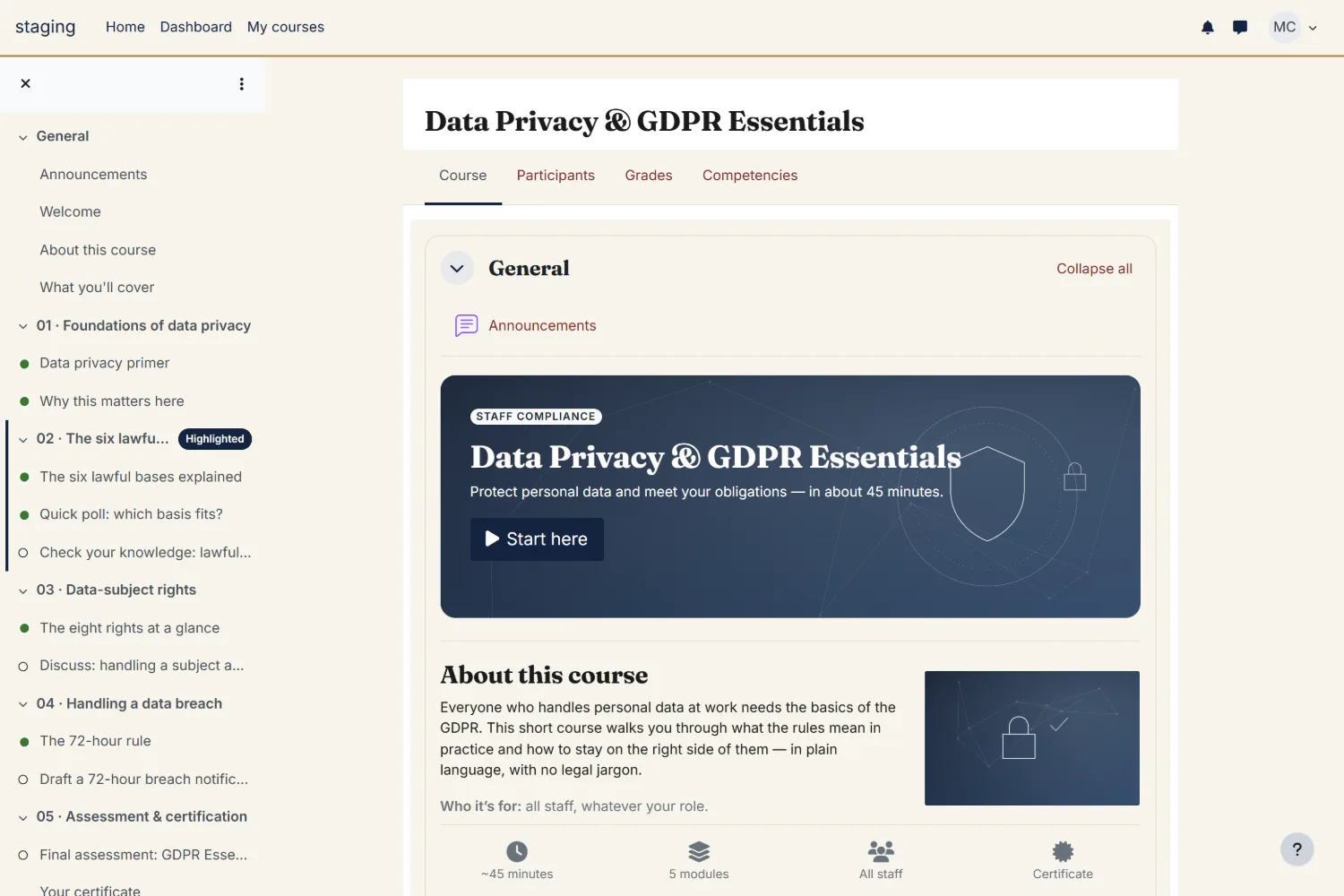
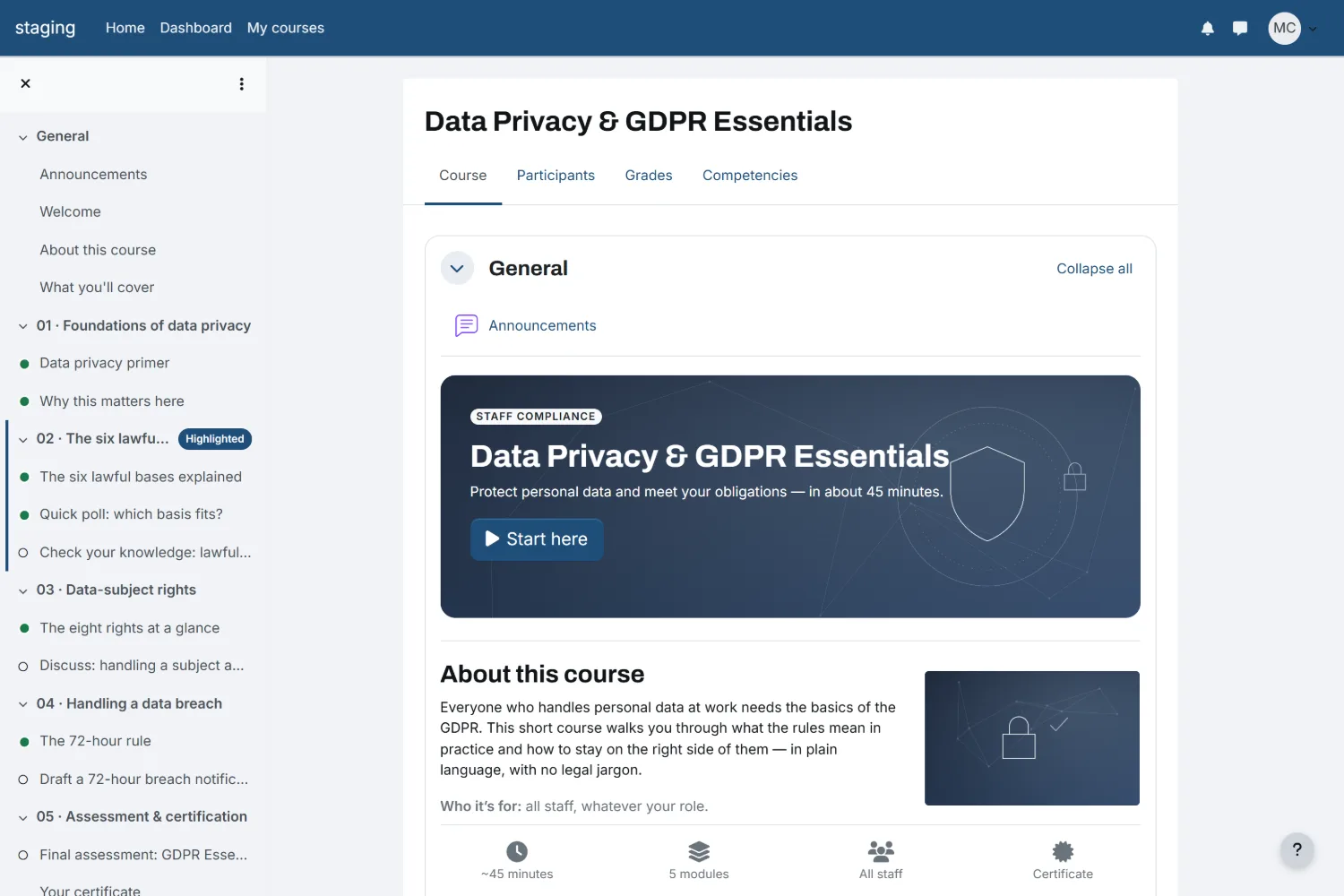
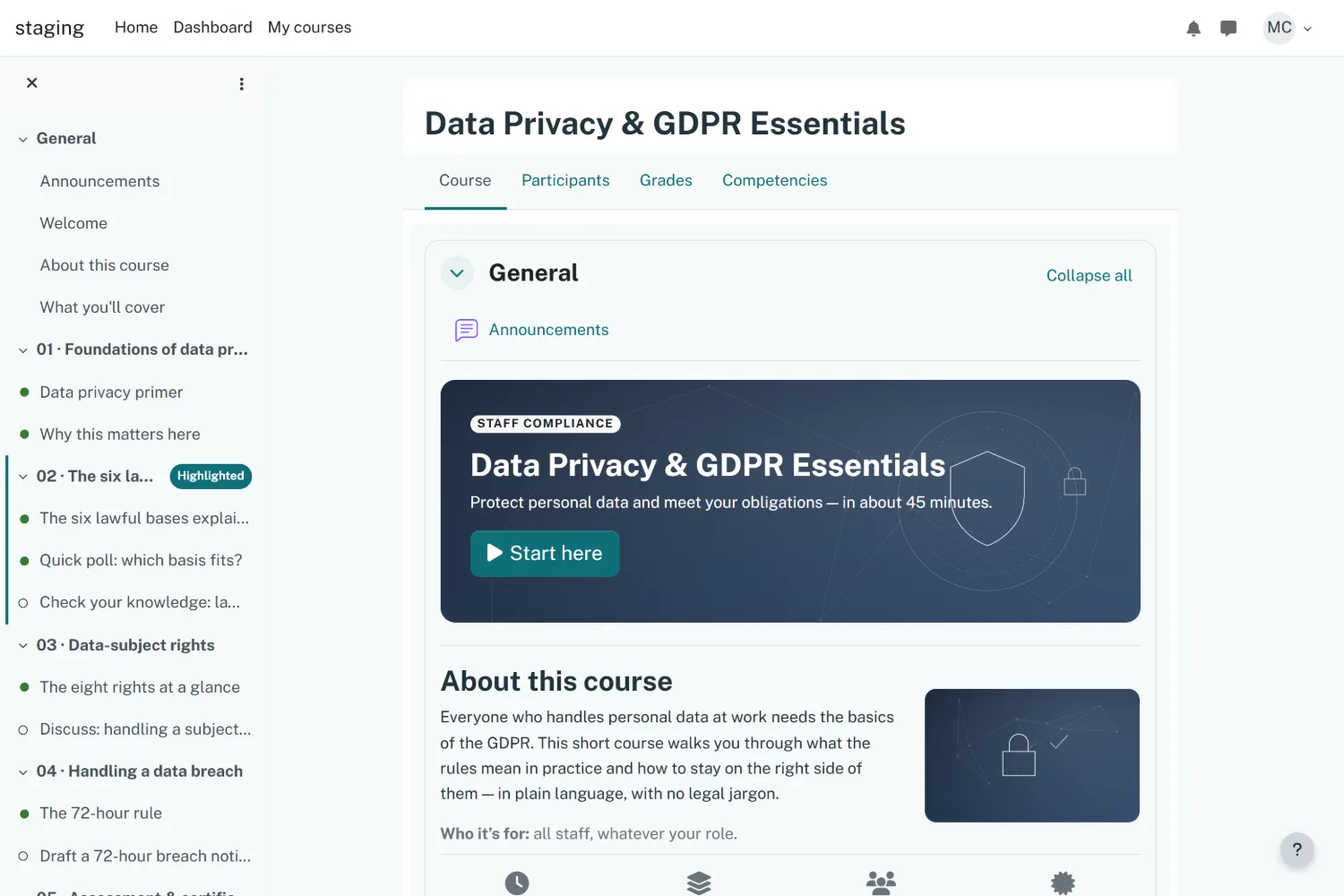
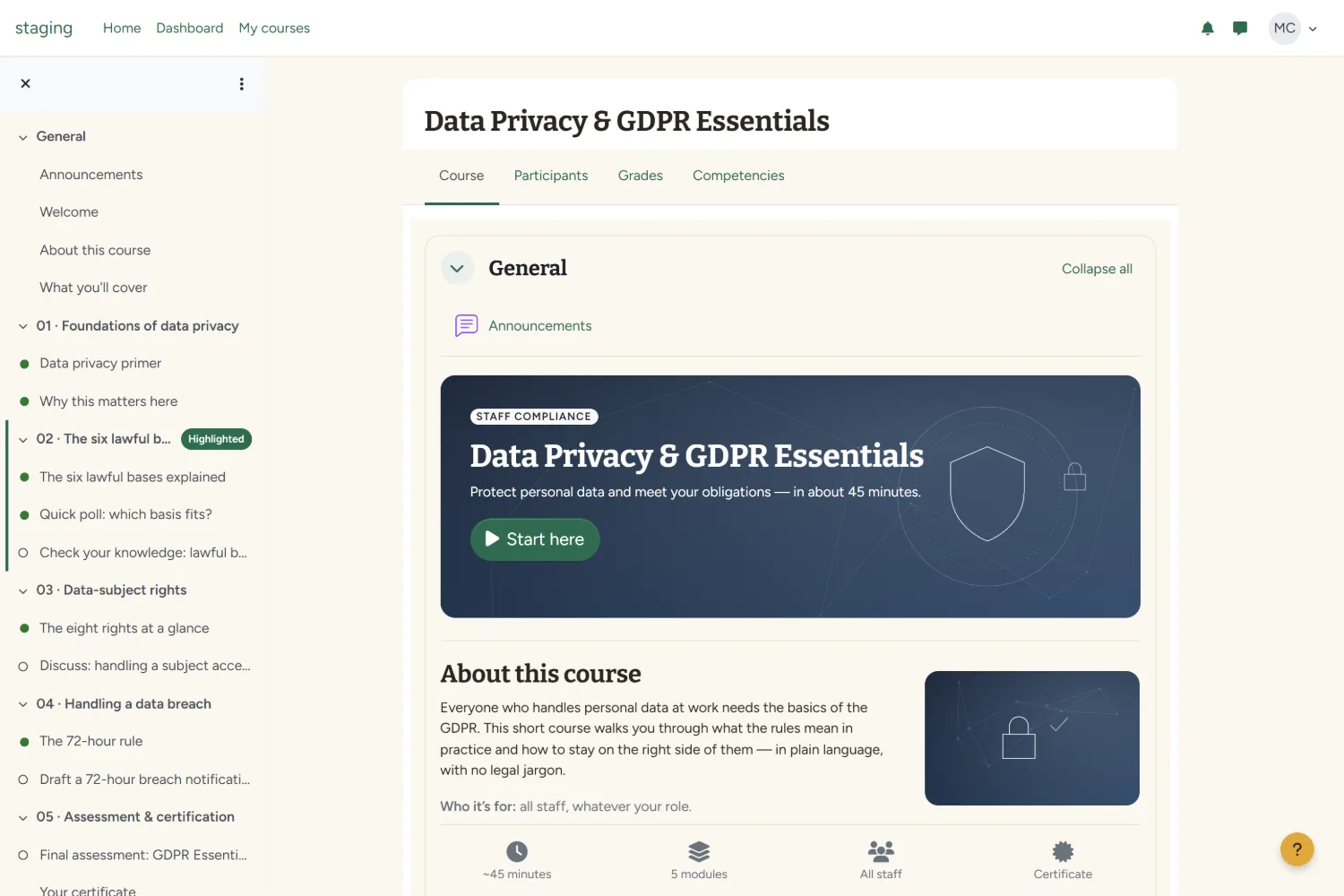
Five Moodle designs to start from
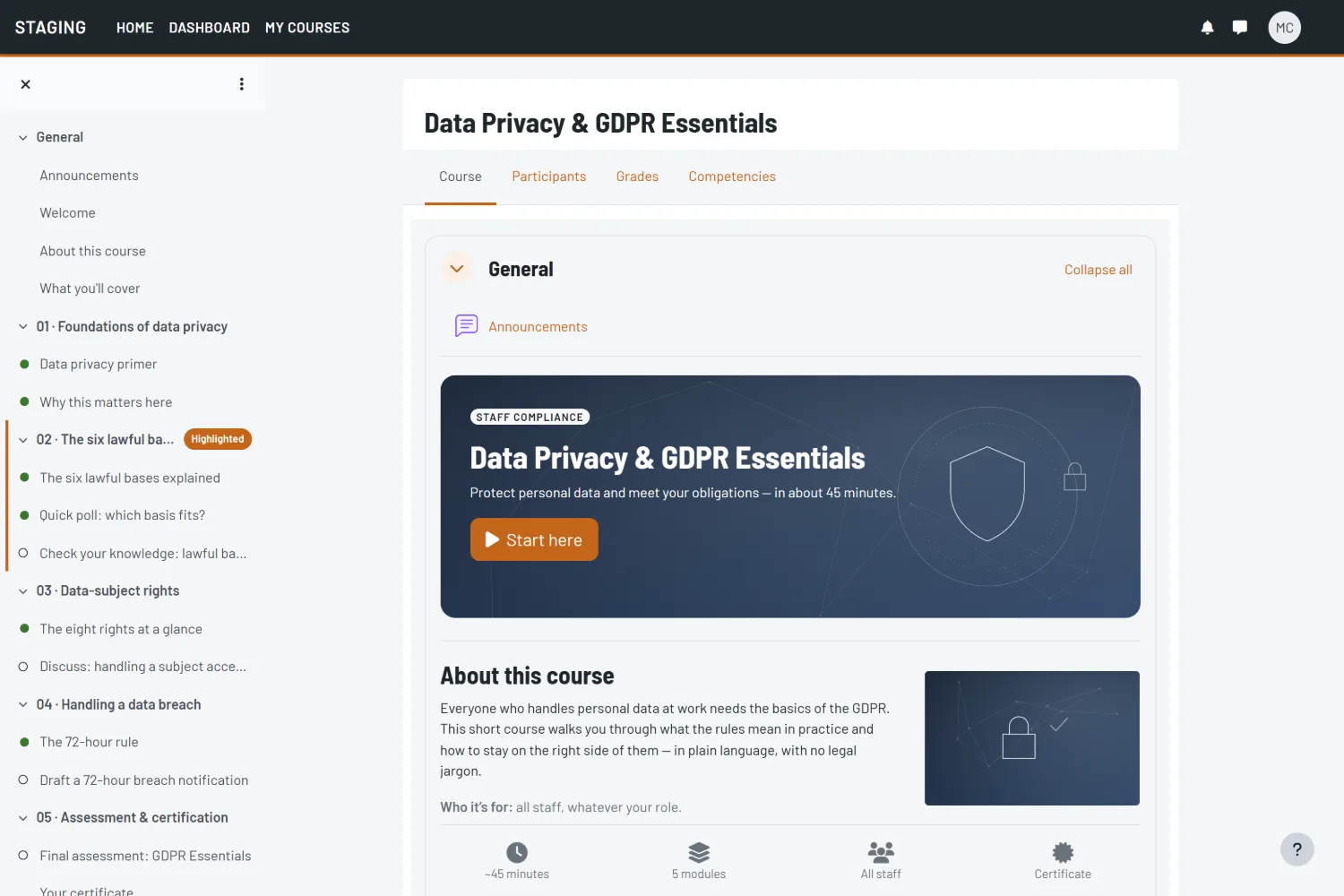
Real Boost child themes on a live Moodle 4.5 page — not mockups. Each ships with the exact brand colour, fonts, and SCSS. Pick one and we make it yours.
Engineering standards
What "upgrade-safe" actually means — and how to check for it
Anyone can promise upgrade-safe. Here's what the promise cashes out to in practice — in enough detail that you can audit any developer's work, including ours.
Themes: a child of Boost, never a fork
A safe theme declares $THEME->parents = ['boost']; and changes only what it must: SCSS through the pre/post hooks, plus individual Mustache templates copied into the child theme's templates/ directory only when CSS genuinely can't do the job. Every template you override is a file you now maintain against core changes, so the count matters. Our brand themes typically override two or three. We've inherited "custom themes" that forked all of Boost and overrode two hundred.
Plugins: their own tables, their own upgrade path
A real plugin keeps its schema in db/install.xml (built with the XMLDB editor, not typed by hand), migrates it with versioned savepoints in db/upgrade.php, defines capabilities in db/access.php, and never writes to core tables like mdl_grade_grades directly — it goes through the gradebook API. Strings live in language packs so the plugin is translatable. None of this is exotic; it's just the parts most shops skip because they're tedious.
Buyer's guide
How to evaluate any Moodle developer — including us
Use this on every shop you talk to. It takes ten minutes and filters out most of the market.
- ✓ Can they show shipped code? Plugins in the Moodle plugin directory, or at minimum public GitHub repos. Screenshots of admin pages prove nothing; commit history proves a lot.
- ✓ Do they test against 4.5 LTS and current 5.x? Ask which versions their CI matrix covers. A blank look here ends the conversation. Worth knowing: 4.1 and 4.4 both left security support on December 8, 2025, and 5.0 reaches end of support in October 2026.
- ✓ Do they write PHPUnit and Behat tests? Ask to see one Behat feature file from a past project. Shops that write them can produce one in thirty seconds.
- ✓ Will they put "no core modifications" in the contract? If they hedge with "sometimes it's necessary," ask for one concrete example. There almost never is one.
- ✓ Do they implement the Privacy API by default, or is GDPR/FERPA compliance an upsell?
- ✓ Who owns the code, and where does it live? The right answer: you, in a git repository you control, with documentation, on the day of handover.
- ✓ Do they give a fixed quote after scoping? Open-ended hourly on a well-specified plugin usually means they haven't specified it.
We pass our own checklist. Our free Grade Lookup plugin (report_gradelookup) ships GPLv3 with public source and full commit history — read it on GitHub before you hire us. Shipped code, not screenshots. And genuinely — take this list to our competitors too. If someone else passes it and charges less, hire them; we'd rather meet you later for the hosting.
How an engagement runs
Free scoping, fixed quote, milestone payments
1. Scoping call — free, 20 min
You describe the problem. We tell you which plugin type it maps to, whether an existing community plugin already does 80% of it (more often than either of us would like), and a realistic budget range on the call.
2. Fixed quote
A short written spec — what it does, which Moodle versions it targets, what "done" means — with a fixed quote attached. No spec, no invoice.
3. Milestones
Larger builds split into demo-able milestones on a staging site. You pay per milestone, and you can stop at any of them and keep everything shipped so far.
4. Handover
Git repository, install and admin documentation, the CI configuration, and a walkthrough call. Then your team maintains it, or a Care Plan covers updates when new Moodle versions land.
One honest caveat: we don't take every job. If your request is really a SCORM tracking problem or a hosting problem wearing a development costume, we'll say so on the scoping call and point you at the cheaper fix.
Questions we get
Moodle development FAQs
How much does a custom Moodle plugin cost?
Our plugin work ranges from a few days to a few weeks of senior engineering depending on complexity; market rates vary widely by region and seniority. A simple block or report lands near the bottom of that range; an activity module with grading, backup/restore support, and mobile compatibility lands near the top. You get a fixed number after a free scoping call, not a surprise afterward.
Can you customize Moodle without breaking future upgrades?
Yes — that's the entire point of Moodle's plugin architecture. Themes extend Boost as child themes, functionality ships as plugins with their own database tables and upgrade scripts, and core files stay untouched. We test against Moodle 4.5 LTS and the current 5.x release before delivery, and we put "no core modifications" in writing.
Can you fix or extend a plugin another developer built?
Usually. We start with a short paid code review — a few hours of senior engineering — to find out whether it's extendable or whether it hacked core, then quote from there. About a third of rescue jobs turn out cheaper to rebuild properly than to patch, and we'll tell you which yours is before you commit to anything.
Can you integrate Moodle with our SIS, HR system, or SSO?
Yes. Common builds: SAML2 or OAuth 2 single sign-on, LTI 1.3 tool connections, and enrollment sync from an SIS through Moodle's web services or a scheduled task. If your other system has an API, Moodle can talk to it.
Who owns the code when you're done?
You do. Everything is delivered in a git repository you control, with documentation and CI configuration. No license fees back to us, no lock-in — if you leave, the code goes with you.
How long does a typical build take?
A brand theme: one to two weeks. A small plugin: two to four weeks including tests. Integrations vary with the other system's API — that's usually the long pole, not Moodle. Delivery dates go on the milestones in the written quote.
Start here
Book a free scoping call
Tell us what you want Moodle to do. An engineer replies within one business day with a plugin type, a budget range, and an honest answer about whether you need us at all.
- An engineer replies within one business day.
- You leave with a plugin type and a fixed-quote range.
- Senior engineers on every job — no hand-off to juniors.